Maps and the field#
A Super Dante game takes place in two kinds of place. The field フィールド is the world: a great sweep of land and sea that the party crosses on foot, by ship or by airship, and that wraps round at its edges. Maps マップ are everything else, castles, caves and towns: up to 128 of them, each up to 64 × 64 cells. Maps are drawn in Maps and Scenario マップシナリオのさくせい on the Edit menu; the field is not drawn at all, but chosen. Who and what stands on either is added in the event editor, reached from the map editor's R menu (Events), and which monsters lurk where in Enemy Maps てきマップのへんしゅう (below).
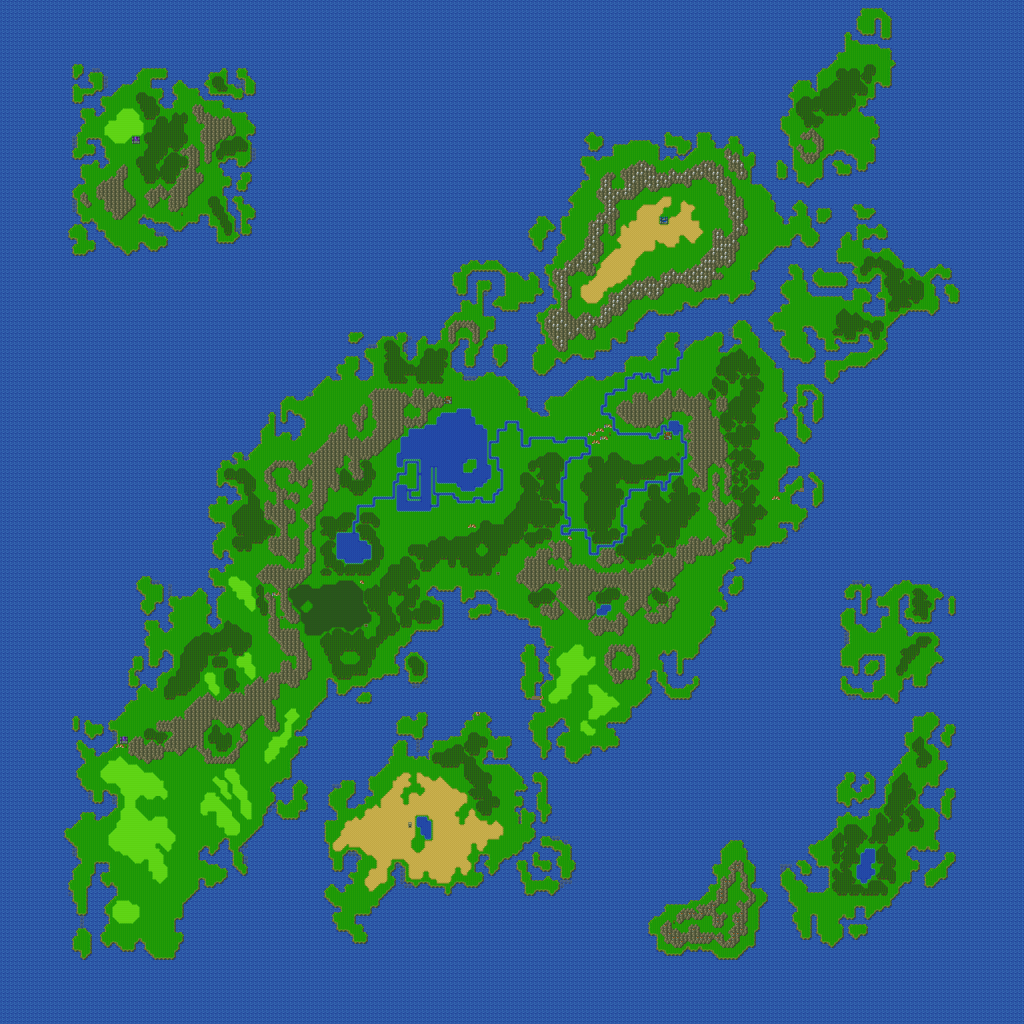
The field is one of four ready-made worlds in the cartridge: you pick one, and every game made with Super Dante walks one of those four. Your own drawing goes into the maps.
Chips, parts and screens#
Maps are not drawn cell by cell. To fit a whole game into 32 KB of battery memory, Super Dante builds them from ready-made pieces in three steps, and you only ever choose the largest pieces.
- A chip is one 16 × 16 pixel cell, the size of a person. Positions on a map (events, warps, the start) count chips, from 0.
- A part パーツ is a block of 4 × 4 chips, 64 pixels square: a stretch of wall, a doorway and its step, a corner of a room. Parts are fixed in the cartridge, one set for each of the three map kinds.
- A screen がめん is 4 × 4 parts, 256 pixels: one TV screen. This is what you draw, choosing a part for each of its 16 places.
- A map is up to 4 × 4 screens. The field is far bigger, 16 × 16 screens' worth, and fixed.
| Level | Size | Made of | Who chooses it |
|---|---|---|---|
| Chip | 16 × 16 pixels, one cell | Four 8 × 8 tiles | Fixed. The party and events stand on chips, and positions count them |
| Part | 4 × 4 chips, 64 pixels | 16 chips | Fixed: a set for each map kind, packed in the cartridge |
| Screen | 4 × 4 parts, 256 pixels (16 × 16 cells): one TV screen | 16 parts | You, part by part, in the map editor; each is one of the pool's 255 |
| Map | Up to 4 × 4 screens: 64 × 64 cells | Up to 16 screens | You: 128 maps, each using as many screens as you draw on |
| Field | 256 × 256 cells (16 × 16 screens' worth), wrapping round | 64 × 64 parts | Fixed: one of four in the cartridge, chosen with Change Field |
The parts are stored packed in the cartridge, which is how four whole fields and three part sets fit in it; How it works has the details. The part sets are drawn in the graphics catalogue.
The pool of 255 screens#
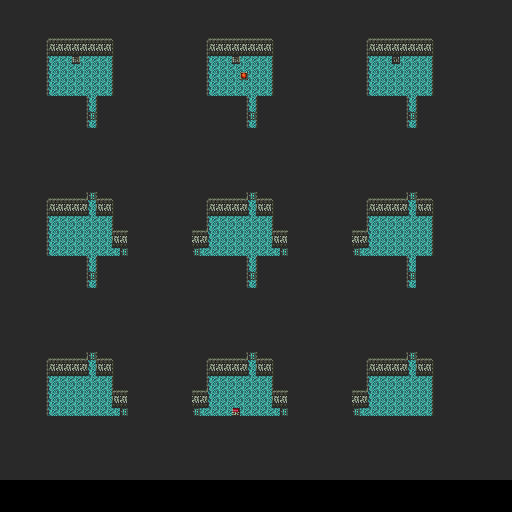
A map is a grid of 4 × 4 screens, but it needn't fill it. Every screen you draw on is taken from one pool of 255 screens shared by all 128 maps; the places in the grid you leave empty cost nothing, and are drawn with the kind's part 0. A house can be a single screen, a castle all sixteen. The map editor's R menu shows what is left of the pool のこり がめん ("screens left").
The sample game FATE uses 179 screens over its 41 maps, leaving 76. Its tallest tower floor, map 25, fills all sixteen screens of its grid; nine of its maps are a single screen, and six more two.
The three map kinds#
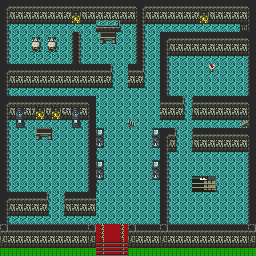
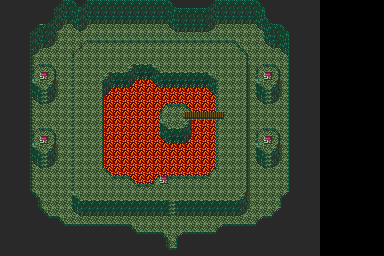
Each map has a kind マップの しゅるい: castle しろ, dungeon ダンジョン or town まち. The kind chooses the map's whole look: its tiles, its colours, its set of parts and its object graphics. It also chooses the music the map plays (one of the start's music slots, The start) and the background of every battle fought there.
| Kind | On screen | Music (a start slot) | Battle background | In FATE |
|---|---|---|---|---|
| Castle | しろ | The castle slot | Castle hall | 20 maps: the castles アスガル, ミズガル, ウドガル, エーリューズニル and ヴィーグリーズ, two cellars, and most of the opening and ending scenes |
| Dungeon | ダンジョン | The dungeon slot | Cave | 5 maps: the root ヴェルゲルミル, the cave グニパヘリル (two maps) and the top of ヴィーグリーズ (two maps) |
| Town | まち | The town slot | Town street | 16 maps: the towns, the roots ミーミル and ウルザンブルン, the world tree, and まっくら |
A map can't mix kinds. The kind can't be changed once the map has events: the editor refuses. So settle a map's kind before you place anything on it.
The map editor#
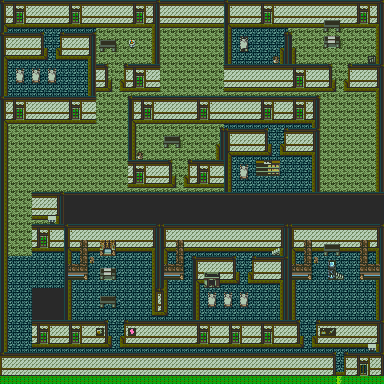
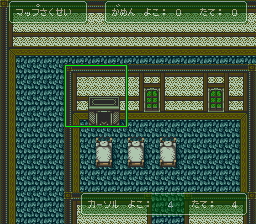 1234
- 1 Editor マップさくせい the map editor; R opens its menu
- 2 Screen's place がめん よこ / たて which of the map's 4 × 4 screens is shown
- 3 Cursor one part, 4 × 4 chips; X opens the part picker for it
- 4 Cursor's place カーソル よこ / たて where the cursor stands
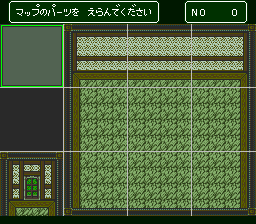
Choose Maps and Scenario on the Edit menu. The editor shows one screen of the current map at full size, with a cursor one part in size; the screen's place in the map's grid がめん よこ / たて and the cursor's place カーソル よこ / たて are shown above and below it. X opens the part picker マップのパーツを えらんでください ("choose a map part"), which shows the parts of the map's kind with the number of the one chosen; pick one for the cursor's place.
Everything else is on the R menu:
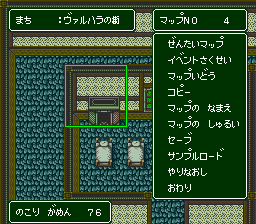
| Entry | On screen | What it does |
|---|---|---|
| Whole Map | ぜんたいマップ | Shows the map's 4 × 4 screens in miniature |
| Events | イベントさくせい | Opens the event editor on this map (Events) |
| Move Map | マップいどう | Goes elsewhere: the field, the next or the previous map, a map by number, an unused map, or a map by name |
| Copy | コピー | Copies (what it carries isn't recorded here) |
| Map Name | マップの なまえ | Names the map, up to 8 characters, on the keyboard |
| Map Type | マップの しゅるい | Castle, dungeon or town; refused once the map has events |
| Save, Sample Load, Undo, End | セーブ, サンプルロード, やりなおし, おわり | As in every editor: Sample Load brings back FATE's version of this editor's data |
The R menu also shows where you are: the map's kind and name (まち :まっくら), its number (マップNO 124) and the screens left. Maps are numbered 0–127 in the editor. Save, Sample Load and Undo work as in every editor (Getting started).
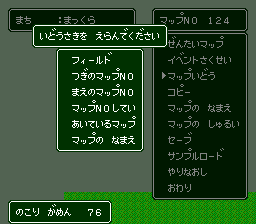
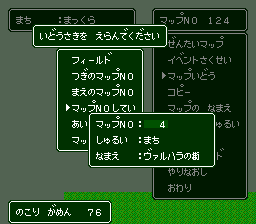
Move Map マップいどう asks where to go いどうさきを えらんでください: the field フィールド, the next or the previous map, a map by its number マップNOしてい, the first unused map あいているマップ, or a map by its name. A map's name is up to 8 characters.
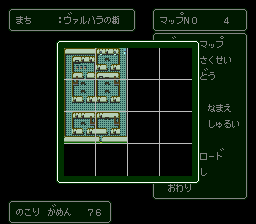
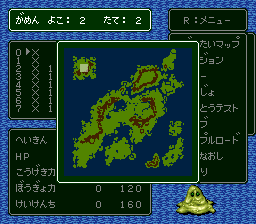
Whole Map ぜんたいマップ shows the map's grid of 4 × 4 screens in miniature, with the screens in use drawn.
The field#
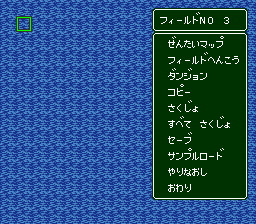
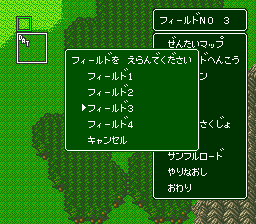
The field is not in the save. The cartridge holds four complete fields, each 256 × 256 cells (16 × 16 screens), with their continents, seas, forests, deserts, swamps and mountains drawn once and for all, and the save holds only the number of the one your game uses. Go to it with Move Map → フィールド: since there is nothing to draw, the field opens in the event editor, with its events marked. There, R → Change Field フィールドへんこう chooses フィールド1–フィールド4. FATE's is フィールド3.
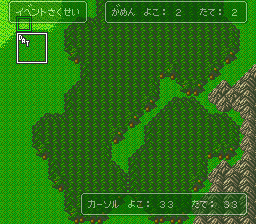
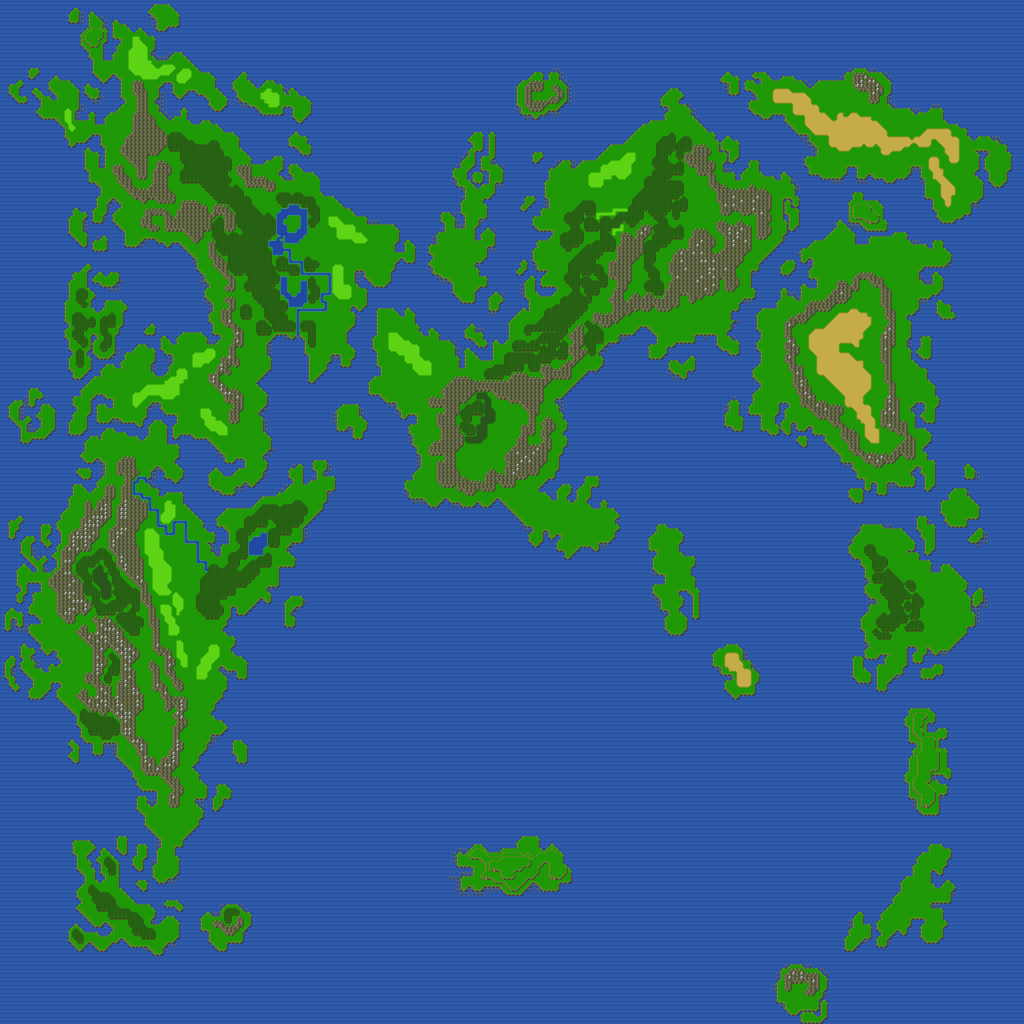
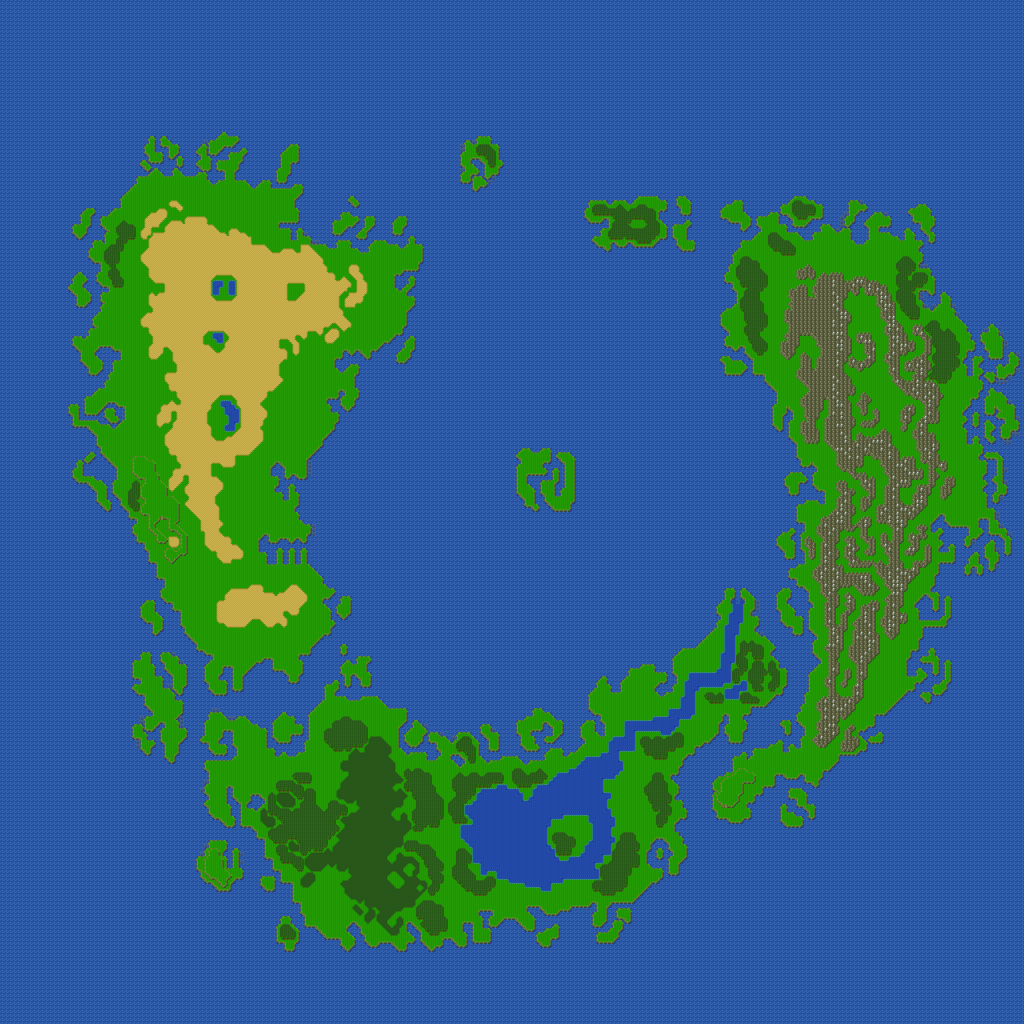
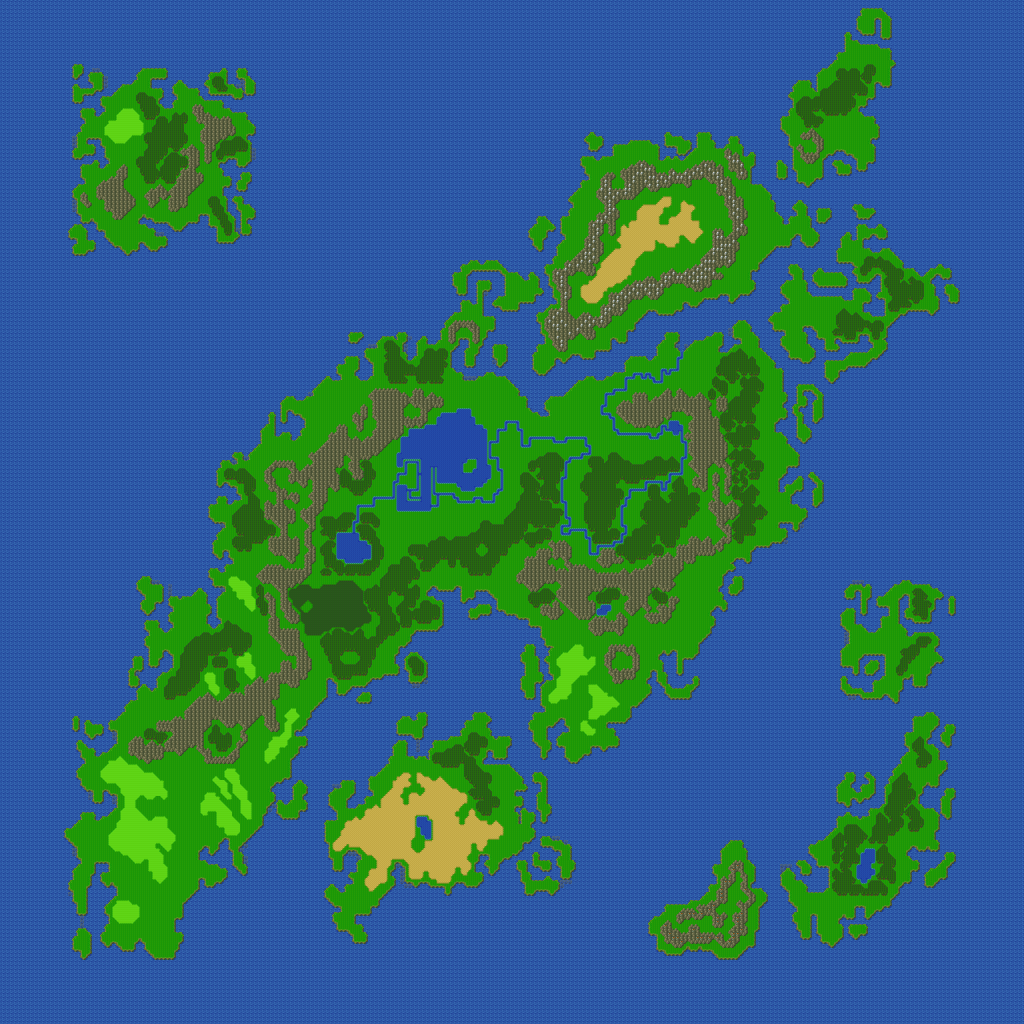
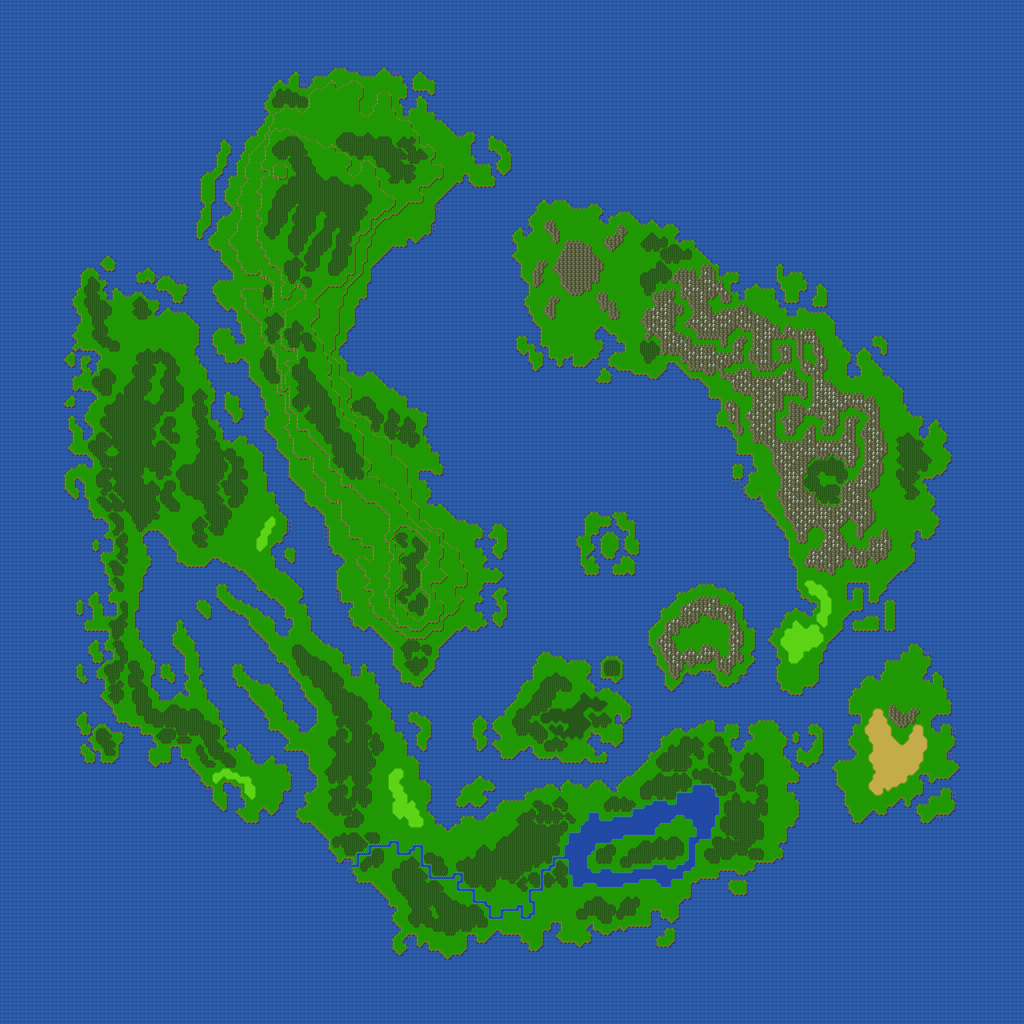
- The field is drawn in mode 7, the SFC's rotating, scaling layer. On foot and by ship it looks like any map; from the airship it tilts away to a horizon under a sky (The ship and the airship). The title card at the start of each new game shows the chosen field behind the game's title.
- It has no edges. Walking off one side brings the party in at the other, so a ship can sail round the world.
- Towns, castles and caves on the field are events with a field object graphic, which is drawn into the ground itself where the event stands (below). The field's events are placed in the event editor like any map's, but they can't move.
Field objects#
A field event's graphic is one of 19 field objects, drawn into the field as chips over the ground. They come in four shapes:
| Graphics | Shape | In FATE |
|---|---|---|
| 1–4, 6–9, 13 | One cell | 1 its signposts; 3 the world tree せかいじゅ; 6 the roots ミーミル and ウルザンブルン; 8 the town ギムレー; 13 a hidden cave |
| 5 | Two cells side by side, the same chip twice | The way to the ship beside ギムレー, which turns the party back until the ship is theirs |
| 10–12 | Two cells side by side | Its towns |
| 14–16 | Two cells, one above the other | 14 the root ヴェルゲルミル |
| 17–19 | 2 × 2 cells | Its castles |
An event with graphic 0 on the field shows nothing and leaves the ground as it is: FATE hides a cave that way, an invisible event that the player finds by searching a mountainside, after which a page with the cave's graphic takes over (Events).
Walking: what blocks and what doesn't#
Every chip has a fixed attribute that decides who may cross it; you choose it only by choosing the part (on a map) or the field. Super Dante's walls are on the chips' edges, not the chips: each chip can close any of its four sides. A step from one cell to the next is blocked if the side the party leaves through is closed, or the side of the next cell facing it is.
So a chip can be a wall along one edge only: a ledge that can be walked along but not crossed, or a counter that blocks from one side. Most chips are fully open or fully closed. On the field, the sea's and the canyons' chips are closed on all sides, and a few chips close only one or two.
- On a map, an object event's graphic (a chest, a door, a statue) takes over from the ground beneath it, so it blocks or not by its own chip. People block the way, and the map's edges are hard: the party leaves a map only by a warp (below).
- On the field, the ground decides, and a vehicle's rules on top of it.
- In test play, holding B walks through everything (Test play).
The ground on the field#
The field's chips fall into six kinds of ground, which decide where the vehicles go, which battle background a fight shows, and whether a step hurts.
| Ground | On foot | Ship | Airship lands | Battle background |
|---|---|---|---|---|
| Grass | Walks | — | Yes | Grassland |
| Desert | Walks | — | Yes | Desert |
| Forest | Walks | — | No | Forest |
| Swamp | Walks; 1 HP a step | — | No | Swamp |
| Sea | Closed | Sails | No | Sea |
| Rocky canyon | Closed | — | No | Rocky canyon, also for a fight on a cell beside it |
- Swamps hurt: a step ending on a swamp costs every hero 1 HP, never taking anyone below 1. Poison costs 1 HP a step on a swamp and 2 off one (Playing a game).
- The ship sails the sea's chips and lands the party by stepping from it onto ground they can walk. The airship flies over everything, meets no monsters, and comes down with A only on grass, desert or the shore: not on forest, swamp, an event, or a cell with no way off on foot (The ship and the airship). Where the two start is set with the start.
Connecting maps#
Maps are joined only by warp events ばしょ いどう: an event that, when the party steps on it, moves them to a cell of another map or of the field. A town on the field is an object event with a town graphic and a warp into the town; the town's way out is a row of invisible events along its edge that warp back to the field. Events shows how FATE builds them.
- The page goes on after the warp, on the new map: FATE's town gates warp, play the town's song, step the party one cell in, and show the town's name.
- The start of the game is a place too, set with the start: FATE starts on map 127, the opening's throne room.
- Teleport (a spell or a magic item) offers the places the party has entered through one of the field's first 32 events. So put your towns' and castles' gates among the first 32 events you place on the field (read from the game's code; not tried).
Enemy maps#
Random battles are set in Enemy Maps, separately from drawing: for each screen of the field, and for each screen of every map, which enemies can appear there.
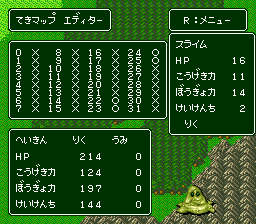 123456
- 1 Editor てきマップ エディター Enemy Maps, here on a screen of the field
- 2 R menu R:メニュー Whole Map, Dungeon, Copy, Delete, Battle Test, Save, Sample Load, Undo, End
- 3 The 32 enemies ○ / × the field's enemies 0–31 (on a map, the dungeon enemies): ○ appears on this screen, × doesn't
- 4 Enemy at the cursor スライム … りく its name, HP, attack, defence, experience, and where it appears (land, sea or both)
- 5 Averages へいきん りく うみ HP, attack, defence and experience of the enemies ticked here, on land and at sea
- 6 Picture the enemy at the cursor
- The field is cut into 16 × 16 screens, each with its own choice among the 32 field enemies. Each enemy is marked ○ (appears) or × (doesn't). Whether a field enemy meets the party on land, at sea or both is the enemy's own setting しゅつげん (Enemies): on foot only land enemies are drawn, aboard the ship only sea enemies, and in the air nobody.
- A map's screens choose among the 32 dungeon enemies, whatever the map's kind. The setting belongs to the screen, so a map can be safe in its town screens and dangerous in its cellar. The R menu's Dungeon ダンジョン goes to the maps.
- The averages へいきん under the list give the HP, attack, defence and experience of the ticked enemies, for land りく and sea うみ apart: a quick check of how hard a place is.
- Whole Map shows the whole field in miniature, to pick a screen. The R menu also holds Copy コピー and Delete さくじょ, and the battle test (below).
- Beside the list, a window gives the enemy at the cursor: its name, HP, attack, defence, experience and where it appears.
A screen with nothing ticked has no random battles. There is no rate to set: every screen with enemies uses the same curve, no battle on the first step, a small chance up to the fifteenth, then one in eight a step. A random battle draws 1–4 different enemies from the ticked ones, never the same one twice. How the roll and the group work is in Battles.
The battle test#
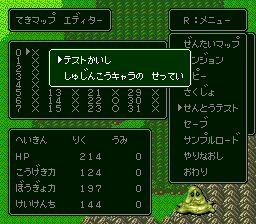
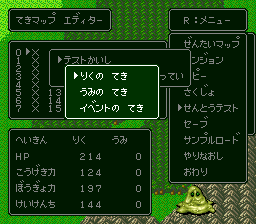
The R menu's Battle Test せんとうテスト fights the place's enemies without leaving the editor. It offers テストかいし (start the test) and しゅじんこうキャラの せってい (set up the test's heroes); starting asks which enemies, the land's りくの てき, the sea's うみの てき or the event enemies イベントの てき. On a screen with nothing ticked it does nothing.
Battle backgrounds#
Every battle has one of nine backgrounds, chosen by where it is fought; you can't set it.
| Background | Where |
|---|---|
| Castle hall | Castle maps |
| Cave | Dungeon maps |
| Town street | Town maps |
| Grassland | The field: grass |
| Desert | The field: desert |
| Forest | The field: forest |
| Swamp | The field: swamp |
| Sea | The field: the sea (aboard the ship) |
| Rocky canyon | The field: on or beside rocky canyon |
On the field it is the ground under the leader, with one rule on top: if any of the four cells around the leader is rocky canyon, the battle is in the canyon (unless the leader is at sea). An event's battle uses the map's kind on a map and the ground on the field. The nine backgrounds are drawn in the graphics catalogue.
An example: Valhalla#
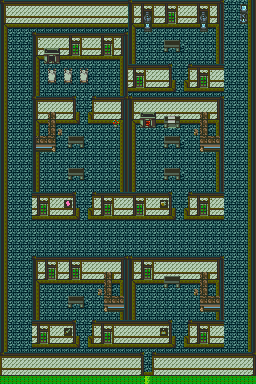
FATE's first town, ヴァルハラ, is a town-kind map of six screens, two across and three down. On the field it is a two-cell town graphic; stepping on it warps the party to the town's gate, plays song 13, takes one step in and shows the town's name. Inside, the weapon shop, the item shop and the inn are each an invisible event started by talking (Events); the town's top edge is an invisible event that warps back to the field beside the town.
Town maps in FATE are silent by themselves: the start's music slot for towns holds 0, so the gate's event plays the song, and every inn is followed by the same song, since the inn's own music hands back to the town's silence. The town shares FATE's pool of screens and its event space with every other map (Limits).
Fan-made reference material, one of the Eschaton Games Tsukuru guides. Not affiliated with the publishers of the titles it covers. Corrections and questions: contact@eschaton.games.